OSDev Apps
Also listed as Rhythm: Time, Activity Tracker on the Play Store
Rhythm
Track time on what matters. Timers, streaks, and cross-device sync.
A simple, focused way to track time spent on the things you care about — deep work, hobbies, workouts, reading, side projects, anything you'd like to build a rhythm around.
Everything you need, nothing you don't
Track your way
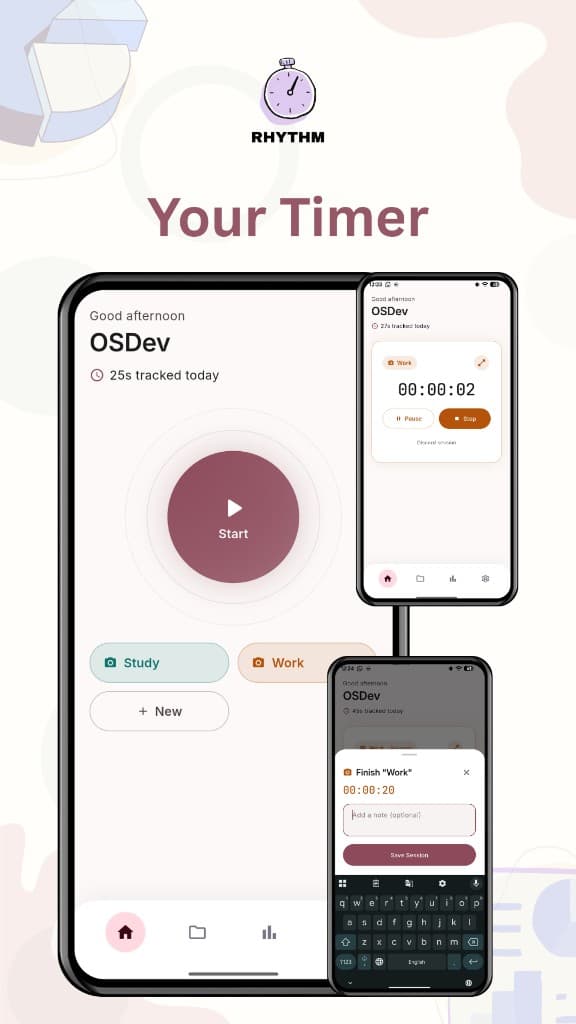
Your own activities, each with its own icon and color; one-tap start, free pause/resume, and an optional note when you finish.
See your patterns
A GitHub-style contribution grid for consistency at a glance, current/longest streaks, and totals by day, week, month, or year, plus a fully custom date range.
Distraction-free timer view
A big, clean full-screen timer with your choice of font and color, and controls that can stay visible or fade away.
Track from more than one device
Pair your phone with the desktop app by scanning a QR code, no account and no cloud; activities, sessions, and settings sync automatically once paired, and each device can still track its own timer independently.
Make it yours
Light, dark, or system theme, a custom accent color, and a renameable "Activity" label to fit however you think about your own time.
Works across every device you use
Pair your phone with the desktop app by scanning a QR code — no account, no cloud. Once paired, your activities, sessions, and settings stay in sync automatically. A paired phone can even lock or unlock a paired desktop, or extend it by watching a quick ad for extra days.
Private by design
No account required
Data stored on your device
Pairing runs on your own home network only